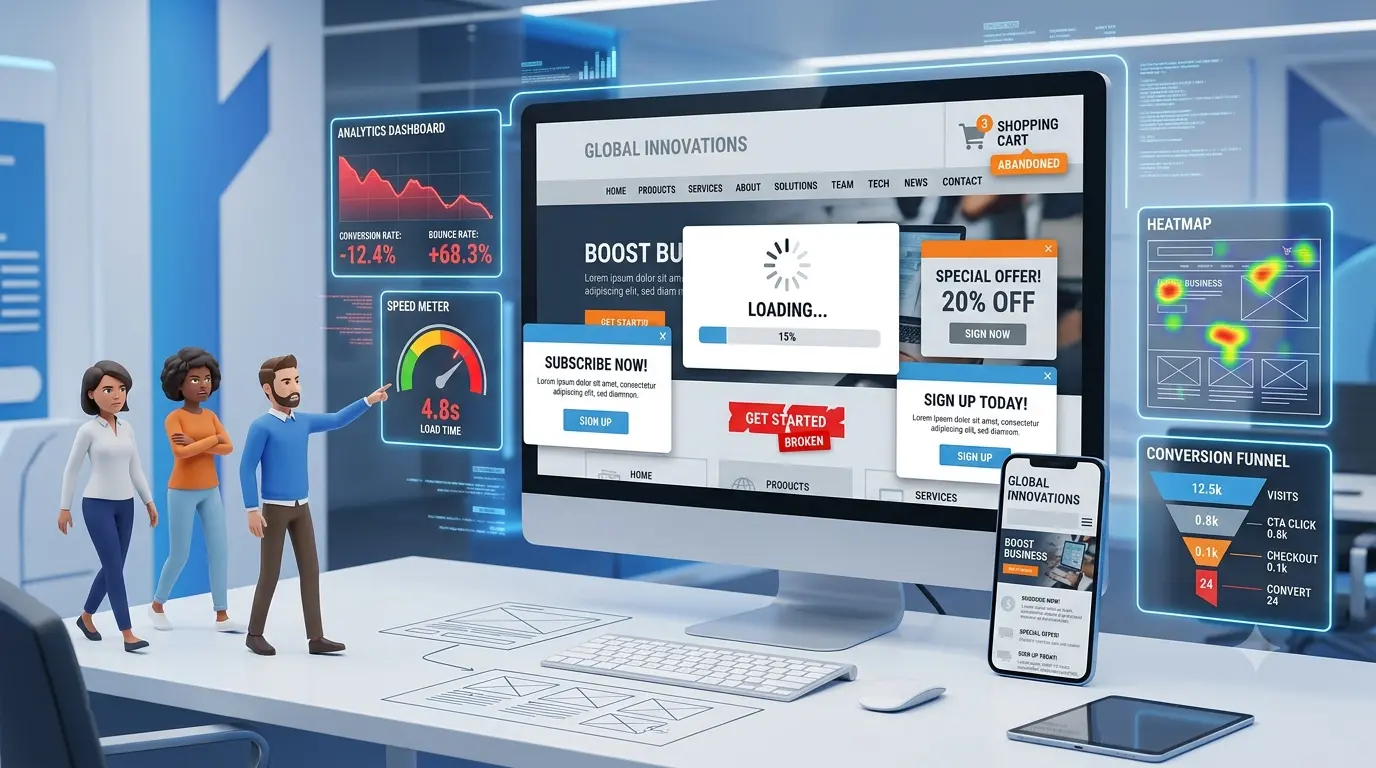
Common Website Mistakes That Reduce Conversions
Common Website Mistakes That Reduce Conversions
Indroduction
Having a website today isn't the hard part almost every business has one. The real challenge is making sure that website actually turns visitors into customers. A poorly designed site, slow loading pages, or a confusing layout can quietly push potential customers away before they ever pick up the phone or fill out a form. And most business owners don't even realize it's happening, because the traffic numbers still look fine on paper.
This is exactly where a lot of businesses lose out. Traffic without conversions is like a shop full of window-shoppers who never walk through the door. In this article, we'll break down the most common website mistakes that quietly reduce conversions, and what you can do to fix them. If your website isn't performing the way it should, it may be time to talk to a reliable Web Design company in Kochi that understands both design and user behavior.
Why Website Conversions Matter
A conversion happens any time a visitor takes the action you want them to take. That could mean:
• Filling out a contact form
• Calling your business directly
• Making a purchase
• Sending a product inquiry
• Signing up for a newsletter or demo
Traffic is only valuable if it leads somewhere. A website that gets thousands of visitors but generates almost no leads isn't actually doing its job; it's just an expensive digital brochure. Conversions are what connect your website to real business growth, whether that's sales, inquiries, or long-term customer relationships. That's why conversion rate optimization (CRO) has become such an important part of running a business website today.
Common Website Mistakes That Reduce Conversions
Let's look at the mistakes that show up again and again, often without business owners even noticing.
Slow Website Loading Speed
Speed is one of the first things visitors judge, often within seconds of landing on your page. If your website takes too long to load, people simply leave.
Impact on user experience: A slow site frustrates visitors before they even see your content, leading to higher bounce rates.
SEO effects: Search engines factor page speed into rankings, so a slow site can hurt your visibility as well as your conversions.
Tips to improve speed:
• Compress images without losing quality
• Use a reliable hosting provider
• Minimize unnecessary scripts and plugins
• Enable browser caching
Website speed optimization isn't a one-time fix; it needs regular attention as your site grows.
Poor Mobile Responsiveness
More people browse on their phones than on desktops these days, which makes mobile-first design non-negotiable.
Importance of mobile-first design: If your layout, buttons, and text don't adapt properly to smaller screens, users will struggle to navigate, and most won't bother trying twice.
User behavior: Visitors on mobile expect fast, thumb-friendly navigation. Anything less feels outdated and untrustworthy.
Mobile optimization best practices:
• Use responsive website design that adjusts to any screen size
• Keep buttons and forms easy to tap
• Avoid pop-ups that are hard to close on mobile
A mobile-friendly website isn't optional anymore; it's often the first impression your business makes.
Confusing Navigation
If visitors can't quickly find what they're looking for, they'll leave and look elsewhere.
Difficult menus with unclear labels create friction right from the start.
Too many options overwhelm users instead of guiding them toward a decision.
Improving user journeys means simplifying your menu structure, using clear labels, and guiding visitors naturally toward key pages like services, contact, or pricing.
Good navigation isn't about having more options; it's about making the right ones obvious.
Weak Call-to-Action (CTA)
Your CTA is where the conversion actually happens, yet it's one of the most overlooked elements on many websites.
Common CTA mistakes include vague text like "Click Here," CTAs that are hard to spot, or having too many competing buttons on one page.
Examples of effective CTAs include phrases like "Get a Free Quote," "Book a Consultation," or "Talk to Our Team," clear, action-driven, and easy to find above the fold.
A strong CTA tells visitors exactly what to do next, without making them think twice.
Outdated Website Design
Design isn't just about looking good; it directly affects how much visitors trust your business.
First impressions are formed within seconds. An outdated design can make even a reputable business look unreliable.
Building trust through clean, modern design reassures visitors that they're dealing with a credible, professional company.
Modern design principles include clean layouts, consistent branding, readable fonts, and plenty of white space, all working together to create a polished user experience.
Poor Content Structure
Even great content can lose visitors if it's hard to read.
Large paragraphs feel overwhelming, especially on mobile screens.
Missing headings make it difficult for visitors to scan and find relevant information quickly.
Readability improvements like short paragraphs, bullet points, and clear subheadings help visitors absorb information faster and keep them on the page longer.
Lack of Trust Signals
People need reassurance before they commit to contacting or buying from a business they don't know yet.
Trust signals include:
• Customer reviews
• Testimonials
• Certifications
• SSL security (that little padlock icon matters more than people think)
• Portfolio or case studies
• Client logos
Without these, even a well-designed website can feel unfinished or unverified in the eyes of a first-time visitor.
No SEO Optimization
A beautiful website means little if nobody can find it. Poor SEO reduces your visibility in search results, which means fewer qualified visitors reach your site in the first place. Even the best conversion-focused design can't perform well if there's no organic traffic to convert. This is why an SEO-friendly website structure, from page speed to proper headings to clean code, is essential from day one.
Difficult Contact Process
If visitors want to reach you but can't do it easily, you lose the conversion right at the finish line.
Long forms with too many required fields discourage people from completing them.
Missing contact details, like a visible phone number or email, frustrate visitors who prefer direct contact over forms.
Improving accessibility means keeping forms short, displaying contact information clearly, and offering multiple ways to get in touch.
You can't fix what you don't measure. Many businesses set up a website and never look at the data again.
Businesses should regularly monitor:
• Bounce rate – how many visitors leave without interacting
• User behavior – which pages they visit and how they navigate
• Conversion rate – how many visitors complete a desired action
• Heatmaps – where users click, scroll, and lose interest
According to Google's own guidance on Core Web Vitals, page experience metrics like loading speed and interactivity directly influence both user satisfaction and search performance, reinforcing why analytics and technical performance go hand in hand.
How Professional Website Design Improves Conversions
This is exactly where working with an experienced Web Design company in Kochi makes a measurable difference. Professional web design isn't just about aesthetics; it's about building a site engineered to convert visitors into customers.
A well-executed website strategy typically includes: .
• Better UX/UI that guides visitors naturally toward taking action
• Faster loading through optimized code and media
• SEO-friendly coding that supports both rankings and performance
• Mobile optimization for seamless browsing across devices
• Strong CTAs placed strategically throughout the user journey
• Conversion-focused layouts designed around real user behavior, not guesswork
When these elements work together, the result is a business website that doesn't just look good; it actively supports growth.
Why Choose a Professional Web Development Partner
Design is only half the equation. The other half is solid, reliable development, which is where partnering with an experienced Web Development company in Kerala becomes valuable.
A strong development partner focuses on:
• Custom web development tailored to your specific business goals, rather than generic templates
• Scalability so your website can grow alongside your business
• Security to protect customer data and maintain trust
• Performance optimization for consistently fast load times
• Ongoing maintenance to keep your site updated and functioning smoothly
• Technical support to quickly resolve issues before they affect conversions
Professional web development ensures your website isn't just a one-time project, but a long-term business asset that continues to perform well as your needs evolve.
Conclusion
Small website mistakes can quietly cost businesses a significant number of leads and sales. Slow loading speeds, poor mobile responsiveness, confusing navigation, weak CTAs, outdated design, and missing trust signals all chip away at your conversion rate, often without any obvious warning signs.
The good news is that every one of these issues is fixable. Regular website audits, thoughtful design updates, and ongoing performance monitoring can turn an underperforming website into a genuine growth engine for your business.
If it's been a while since your website had a proper review, now is a good time to change that. Reach out to our team for a professional website audit or redesign, and let's turn your website into a tool that actually works as hard as you do.
Frequently Asked Questions
1. What website mistakes reduce conversions the most? Slow loading speed, poor mobile responsiveness, confusing navigation, and weak calls-to-action are among the biggest conversion killers, since they create friction right when visitors are deciding whether to engage.
2. How can a professional website increase business leads? A professionally designed website improves user experience, builds trust through modern design and trust signals, and guides visitors toward clear actions all of which increase the likelihood of turning visits into leads.
3. Why is mobile-friendly web design important? Most website visitors now browse on mobile devices. If a site isn't responsive, users struggle to navigate it, leading to higher bounce rates and lost business opportunities.
4. How does website speed affect conversions? Visitors tend to leave slow-loading websites within seconds. Faster websites keep users engaged longer and also perform better in search engine rankings, improving overall visibility and conversions.
5. What makes a good call-to-action on a website? An effective CTA is clear, action-oriented, and easy to find. Phrases like "Get a Free Quote" or "Book a Consultation" work better than vague text like "Click Here" because they tell visitors exactly what to expect.
6. How often should a business audit its website? Ideally, businesses should review their website's performance, design, and content at least once or twice a year, or whenever there's a noticeable drop in traffic or conversions.
7. Can outdated website design really affect trust? Yes. Visitors often judge a business's credibility within seconds of landing on a website. An outdated or cluttered design can make even a well-established business appear unreliable.
8. What's the difference between website traffic and website conversions? Traffic refers to the number of visitors a website receives, while conversions refer to the specific actions those visitors take, such as filling out a form or making a purchase. High traffic doesn't guarantee high conversions if the website isn't optimized to convert.

PRODUCTION HOUSE
- Tapclone, House no: 32/2517A
- PJ Antony Rd,Sonia Nagar,Palarivattom,
- Kochi,Ernakulam , Kerala - 682025
- Ph: +0484 796 5300 Mob: +91 9037 833 933
KOCHI
- Tapclone, MK Arcade, Near Souvarna Library, Pallissery Road
- Palarivattom, Kochi
- Ernakulam, Kerala - 682025
- Email : info@tapclone.in
- Ph: +0484 796 5300 Mob: +91 9037 833 933
CALICUT
- Tapclone, Fortune Business Park,2nd Floor,
- Cherooty Nagar,Asokapuram,Calicut-673006
- Ph : 0495 460 5549 Mob: +91 9037 833 933